
Most popular · Booking
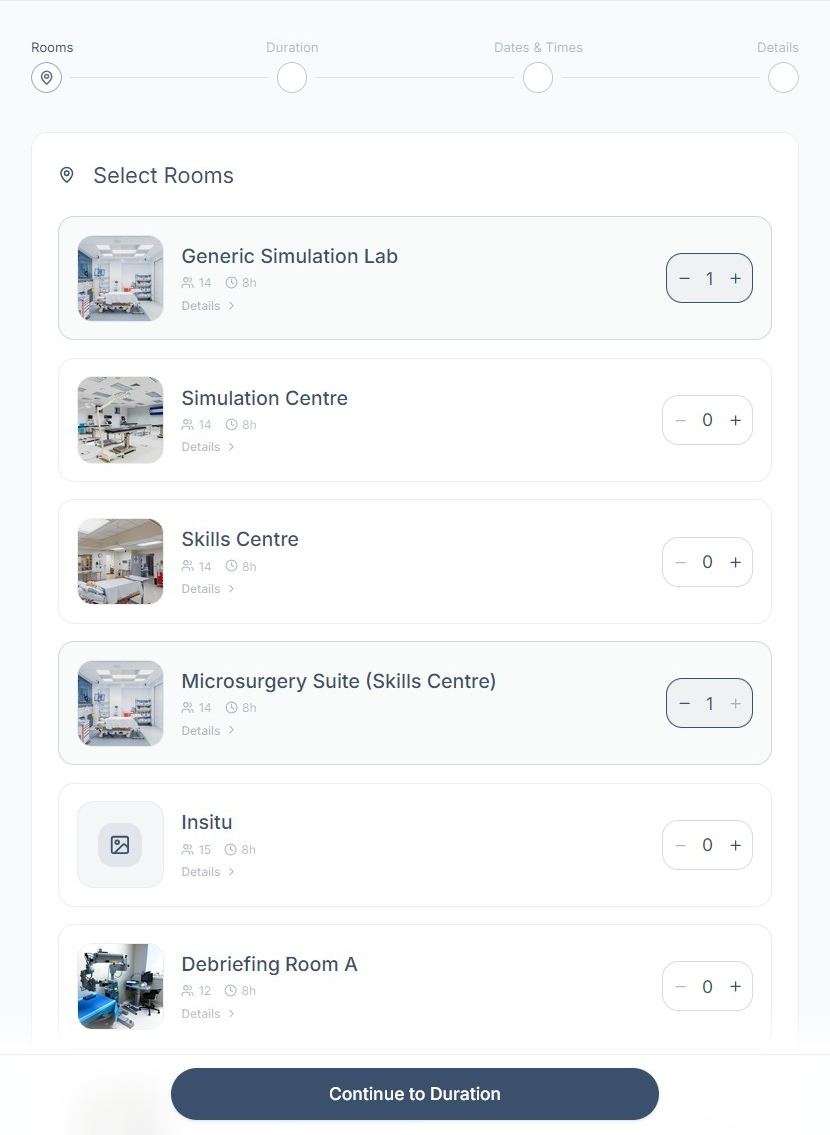
Submitting a Booking Request
Choose your rooms, date, and duration, add your details, and send your request — one step at a time.
Read the guide
6 min read · Updated Jul 2026 · PDF ↓
All guides
5 guides · every guide is also a downloadable PDFCreating an Account & Signing In
Set up your theSimCal account, verify your email, and sign in for the first time.
Read the guide →
4 min · Updated Jul 2026 · PDF ↓
Your Control Panel at a Glance
A one-page tour of your Control Panel — where to find your requests, notifications, and the New Booking button.
Read the guide →
1 min · Updated Jul 2026 · PDF ↓
Submitting a Booking Request
Choose your rooms, date, and duration, add your details, and send your request.
Read the guide →
6 min · Updated Jul 2026 · PDF ↓
Requests & Notifications
Track the status of your requests, understand what each status means, edit a request, and stay on top of notifications.
Read the guide →
5 min · Updated Jul 2026 · PDF ↓
Your Profile Settings
Update your contact details, change your password, and manage your account.
Read the guide →
3 min · Updated Jul 2026 · PDF ↓
The Calendar
How to read the calendar, browse availability, and start a booking from any date.